
Your jobs. Your hours.
In one place.
Freelance hours, organized. Track production workdays, estimate your personal earnings, manage payment status, and prepare personal or crew hours to share from your iPhone or iPad.

Track your crew's hours. Ready to share.
Need to keep track of hours for your team? Maintain a reusable crew library, set your preferred crew order, manage daily attendance, and adjust individual times. Preparing hours messages is fast and accurate.
Reusable Crew Library
Add people manually or select from Contacts in Settings > My Crew. Store names, mark favorites, and organize into custom groups.
Daily Attendance & Overrides
Drag people into your preferred crew order. Mark someone Working or Off for a date, handle one-day players, and adjust individual call, lunch, or wrap overrides.
Preview & Send Messages
Choose Text Crew Hours to preview dates and working crew. Copy the formatted text or open the share sheet to send manually via Messages.
Start with call. Finish at wrap.
Engineered specifically for how motion picture freelancers work daily shifts, overnight shoots, and multiple productions.
Log Your Workday
Record start, wrap, and up to two lunch pairs. Enter 24-hour clock time (13:30), tenths (13.1), quarter hours (13.25), or whole hours. Overnight shifts are fully supported.
Autosaved Drafts
Enter details as work happens on set. Unfinished drafts save automatically and can be resumed or discarded. Completed days require start and wrap times.
Save as You GoPersonal Pay Estimates
Calculates straight time for the first 8 hours, 1.5× for hours 8–12, and 2× beyond 12. Enter an hourly rate or a guaranteed deal such as 700/10.
Track Payment Status
Keep tabs on what you are owed. Mark workdays Paid or Unpaid individually, mark all days in a job at once, or update payment status week by week.
Paid / Unpaid StatusEverything important, at a glance.
Designed with System, Light, and Dark appearance choices. High legibility under bright sun or in dark video villages.
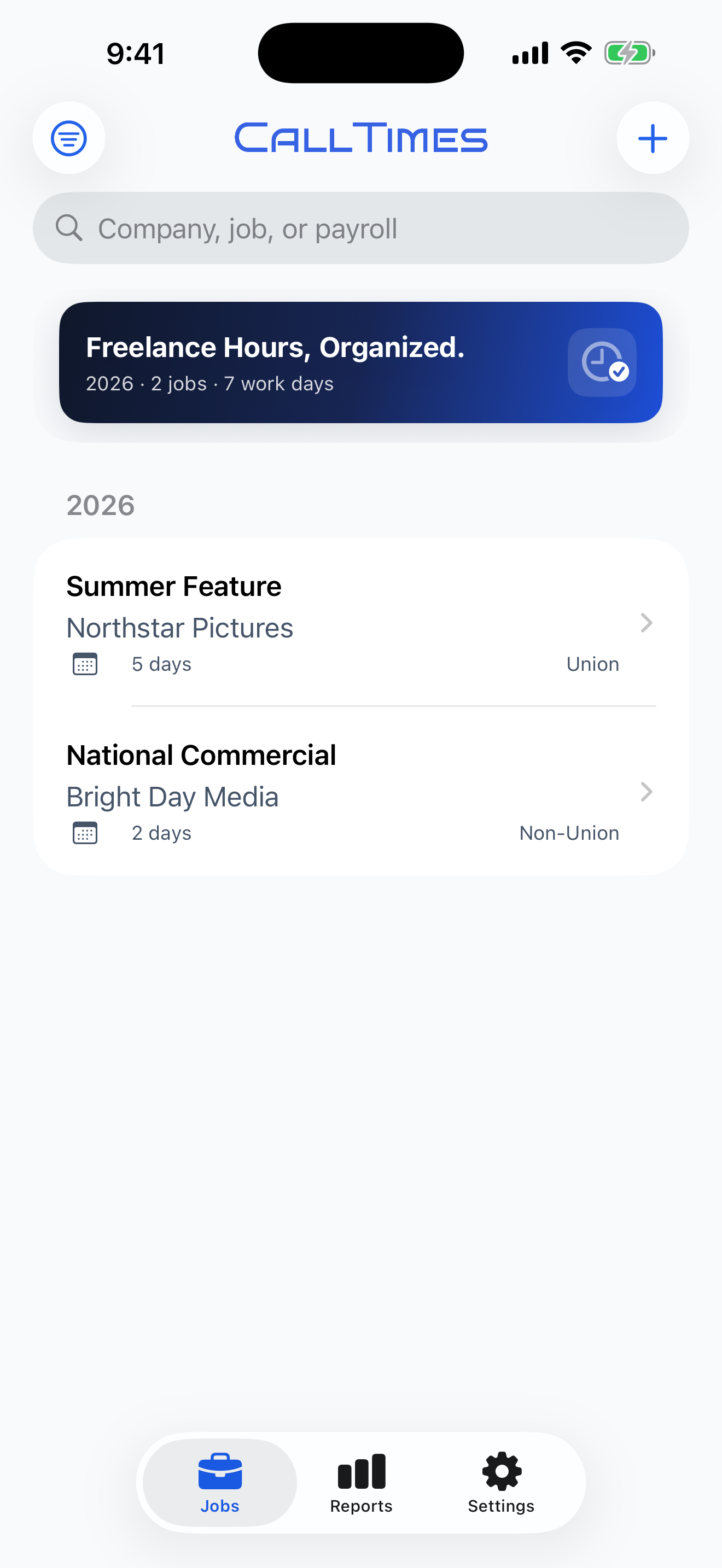
Keep your productions organized.
View your current-year jobs, search by production company, job name, or payroll company, and filter by year or active/archived status. Jobs are grouped by year based on their latest work date.
- Current-year job count, workday totals, and estimated earnings
- Mark jobs as Union or Non-Union
- Fast search and Active / Archived filters
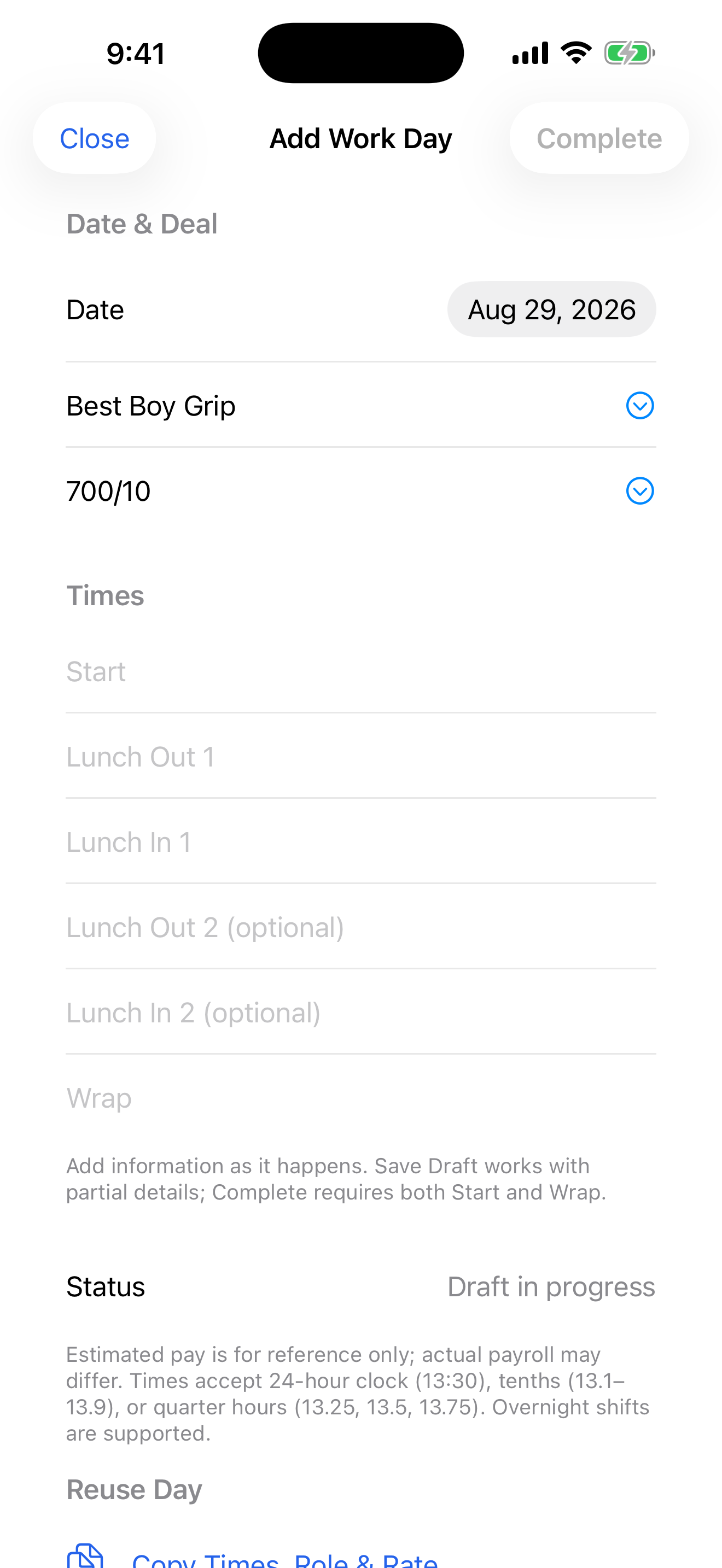
Enter details as work happens.
Start with call time and save as a draft. Enter lunch and wrap when they happen. Complete requires start and wrap times and validates your entered shift.
- Supports 24-hr clock notation (13:30), tenths (13.1), and quarters (13.25)
- Up to two lunch-out / lunch-in intervals per day
- Overnight shift support across midnight
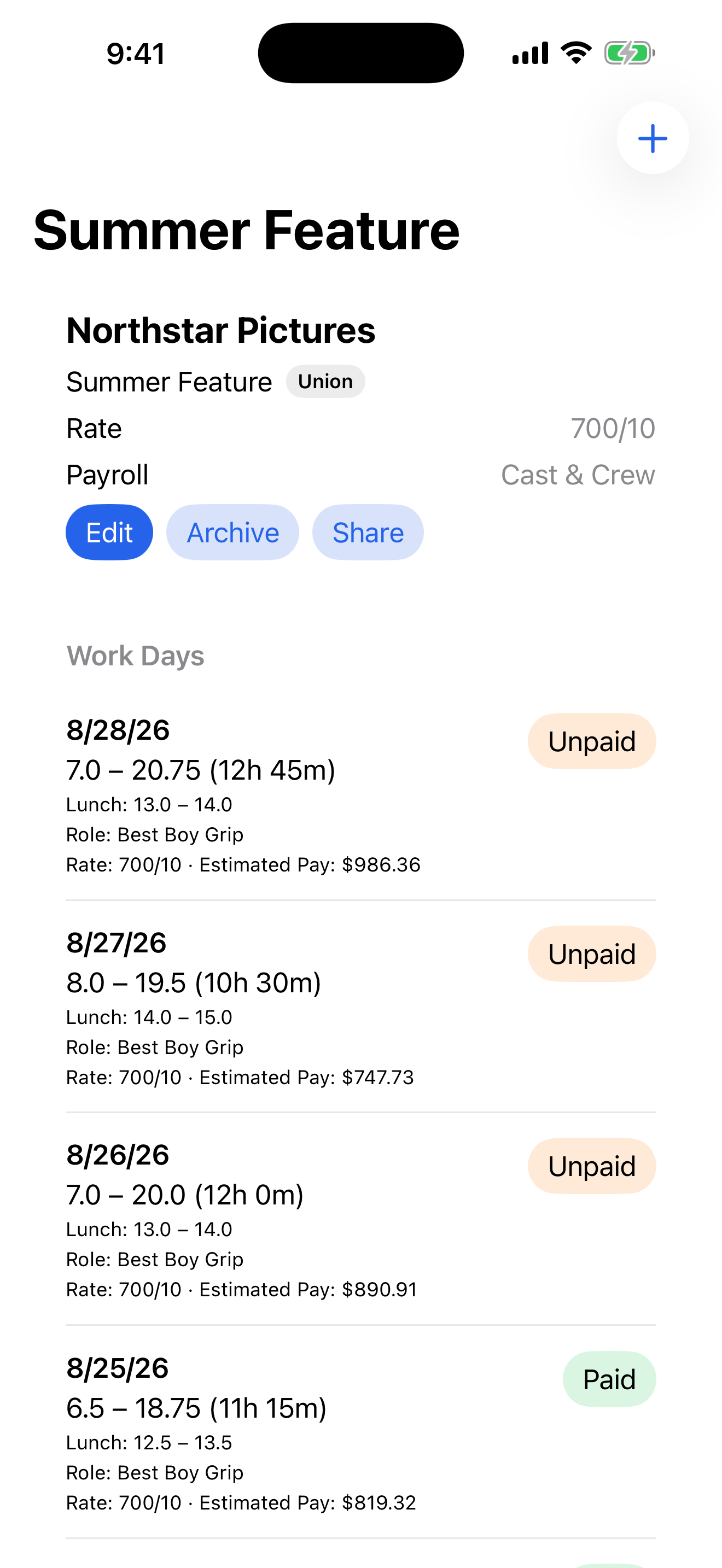
Every day, clearly organized and verified.
Review full day-by-day logs for any job. Track which work weeks have been paid, examine overtime hours, and inspect your pay estimates before sharing your timecard.
- Mark days Paid or Unpaid individually, by week, or across the job
- Repeat Last Day or copy & paste times, role & rate
- Share Hours creates clean personal summaries for messages or email
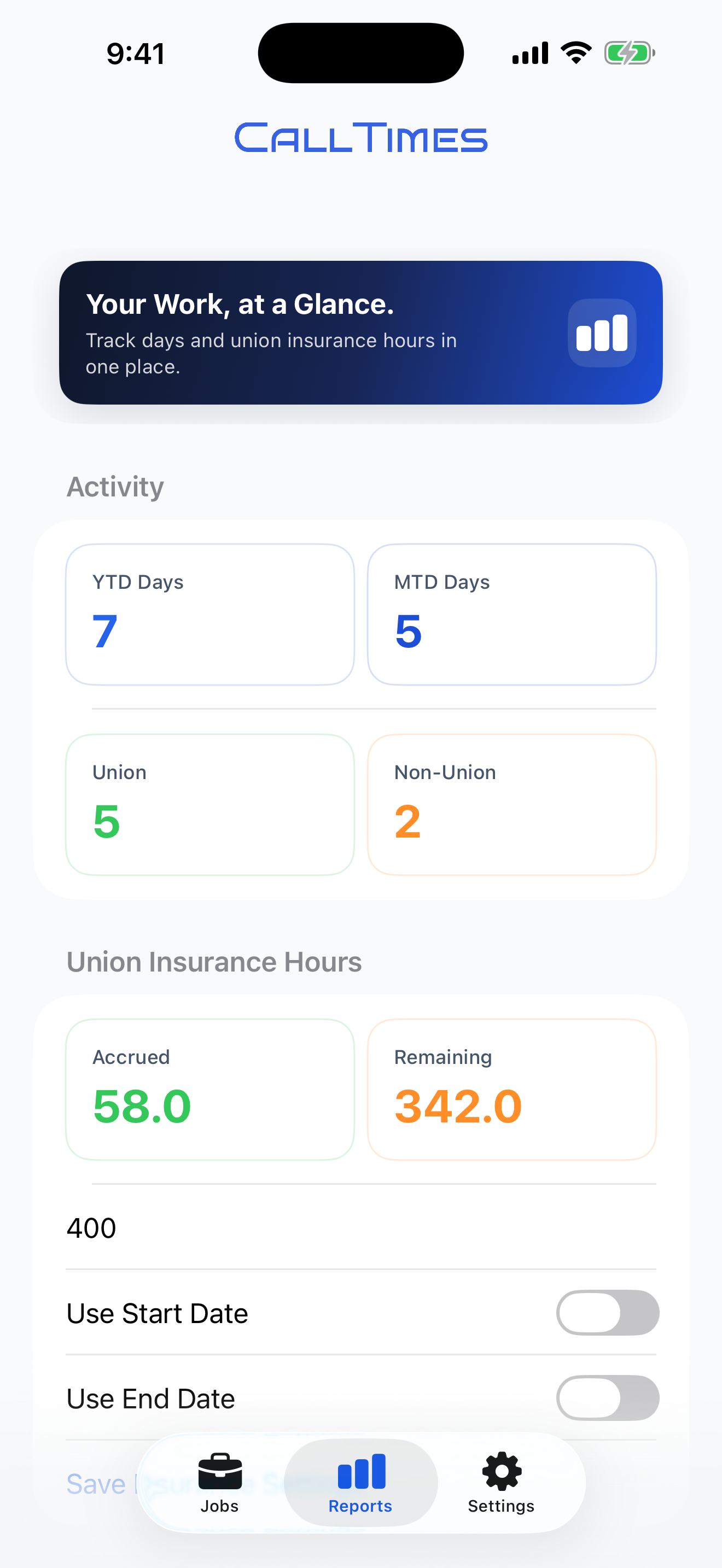
Useful totals at a glance for taxes & union hours.
Review year-to-date and month-to-date workday counts, union vs. non-union days, estimated earnings, and your own union insurance hours progress.
- YTD Days, MTD Days, and estimated unpaid earnings
- Personal Union Insurance Hours tracking toward your custom target
- Export Spreadsheet (CSV) for personal records across stored jobs
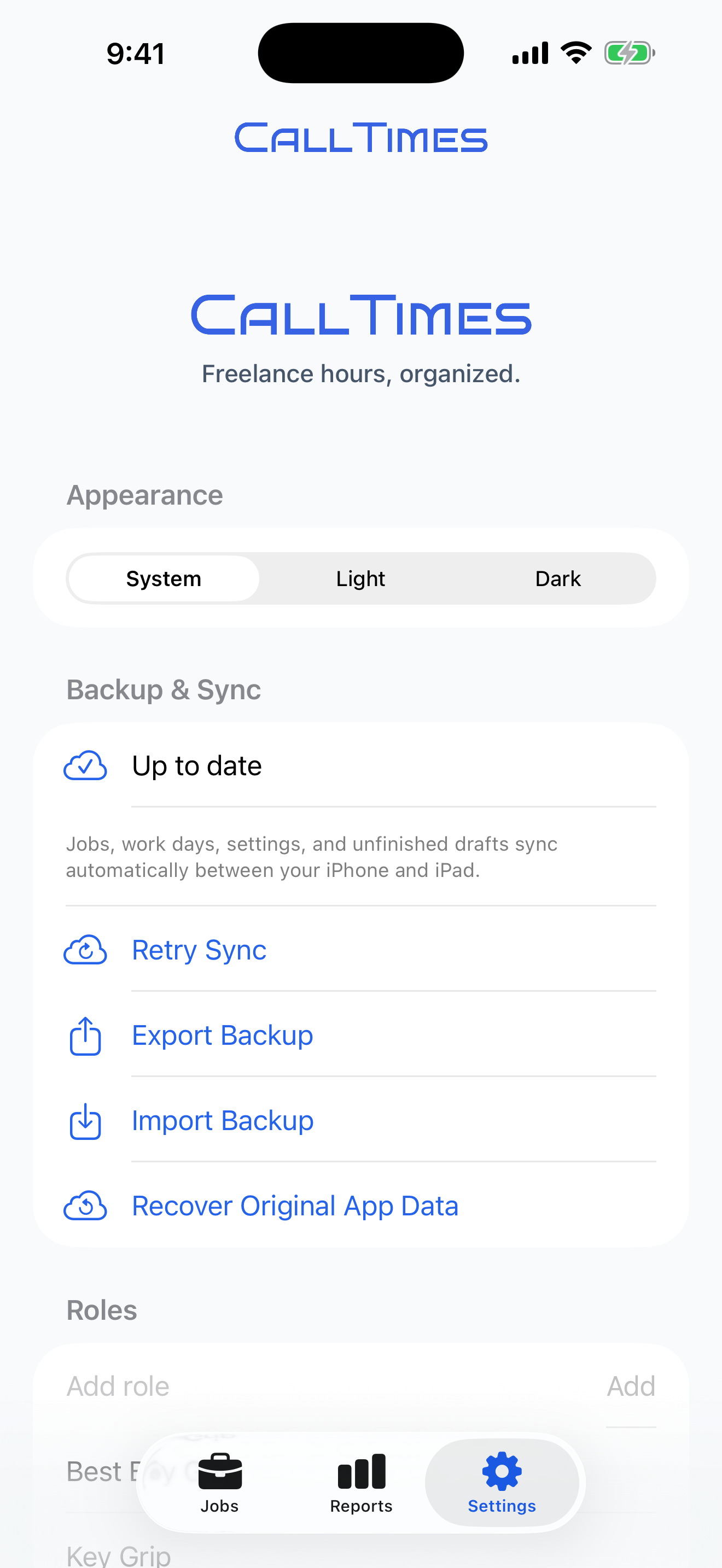
Private backup, saved suggestions & My Crew.
Manage your reusable suggestions for roles, companies, and rates. Configure your crew library in My Crew, export JSON backups, and check iCloud sync status.
- Automatic private iCloud sync for jobs, workdays, drafts, and crew
- Save up to 18 reusable suggestions for roles, rates, and companies
- Export and import complete JSON backups anytime
Built for crew. Honest and private.
We built CallTimes because motion picture freelancers needed a fast, reliable tool without recurring subscriptions or corporate tracking.
One-Time $17.99 Purchase
You shouldn't pay monthly rent to log your own labor. Pay once, and CallTimes is yours on your iPhone and iPad. No subscriptions or renewal fees.
Private iCloud Sync
Your records are stored locally and sync through your private Apple iCloud container. No CallTimes account or password to create, and no third-party analytics or ad SDKs.
Works Offline on Location
In remote desert locations or deep soundstages without cell service? Core job entry and draft saving work locally on your device without a network connection.
Film Industry Time Formats
Support for military 24-hour time, decimal tenths, quarter hours, overnight shifts, and guaranteed day deals.
Common questions, answered.
Clear facts about CallTimes features, pricing, calculations, and sharing.
Can I use CallTimes just for myself?
Yes. Crew tracking is completely optional. If you are tracking only your own hours, you do not need to set up a crew list or use crew tools.
Does CallTimes calculate crew payroll?
No. Pay estimates apply strictly to your personal work records. Crew tools help you organize people, track daily attendance, handle individual call/wrap time overrides, and prepare hours messages. Crew messages contain no crew roles, rates, or calculated pay.
Can personal roles and rates change by day?
Yes. Your personal workdays can have different roles and rates. Leaving a day's rate blank automatically uses the job's default rate. (Crew tracking does not assign role labels or calculate crew pay.)
Does CallTimes text everyone automatically?
No. You review the preview text first, then choose whether to copy the text or open Messages to select recipients and send manually.
How do personal pay estimates work for guaranteed days (e.g. 700/10)?
A deal like 700/10 means a $700 guarantee for 10 hours. The app calculates a base rate using weighted overtime (straight time for the first 8 hours, 1.5× for hours 8–12, and 2× beyond 12) and estimates at least the entered guarantee. Estimated earnings are for your reference; the app does not calculate taxes, deductions, contract-specific premiums, or meal penalties.
Do shared jobs stay linked?
No. When you share a complete job via CloudKit invitation, the recipient imports an independent, editable copy. Changes you make later do not update their copy, and vice versa.
Are the earnings and union insurance hours official records?
No. Earnings are personal estimates for your reference, and insurance hours track progress toward the target you set based on your recorded worked hours for jobs marked Union. CallTimes does not connect to union benefit plans or employer payroll systems.
What does CallTimes cost?
CallTimes is available as a $17.99 one-time purchase on the Apple App Store for iPhone and iPad. There are no subscriptions or recurring monthly fees.
Your jobs. Your hours. In one place.
Join motion picture freelancers and crew organizing jobs, estimating earnings, and preparing hours to share with CallTimes.